
The Saudi eVisa website may appear broken due to browser cache conflicts, active VPNs blocking access, unsupported payment networks, or incorrect photo upload formats. Most issues resolve by clearing cache, disabling VPN, using Chrome or Edge, and verifying your card supports 3D Secure. This guide covers site crashes, payment declines, and upload errors with step-by-step fixes verified against the KSA Visa Platform and Saudi eVisa portal data as of September 2026.
How the Saudi eVisa Application Works in 2026
Fill the application
Enter the required details
Pay the visa fee
Complete the payment
Receive your online visa
Approval in ~60 seconds
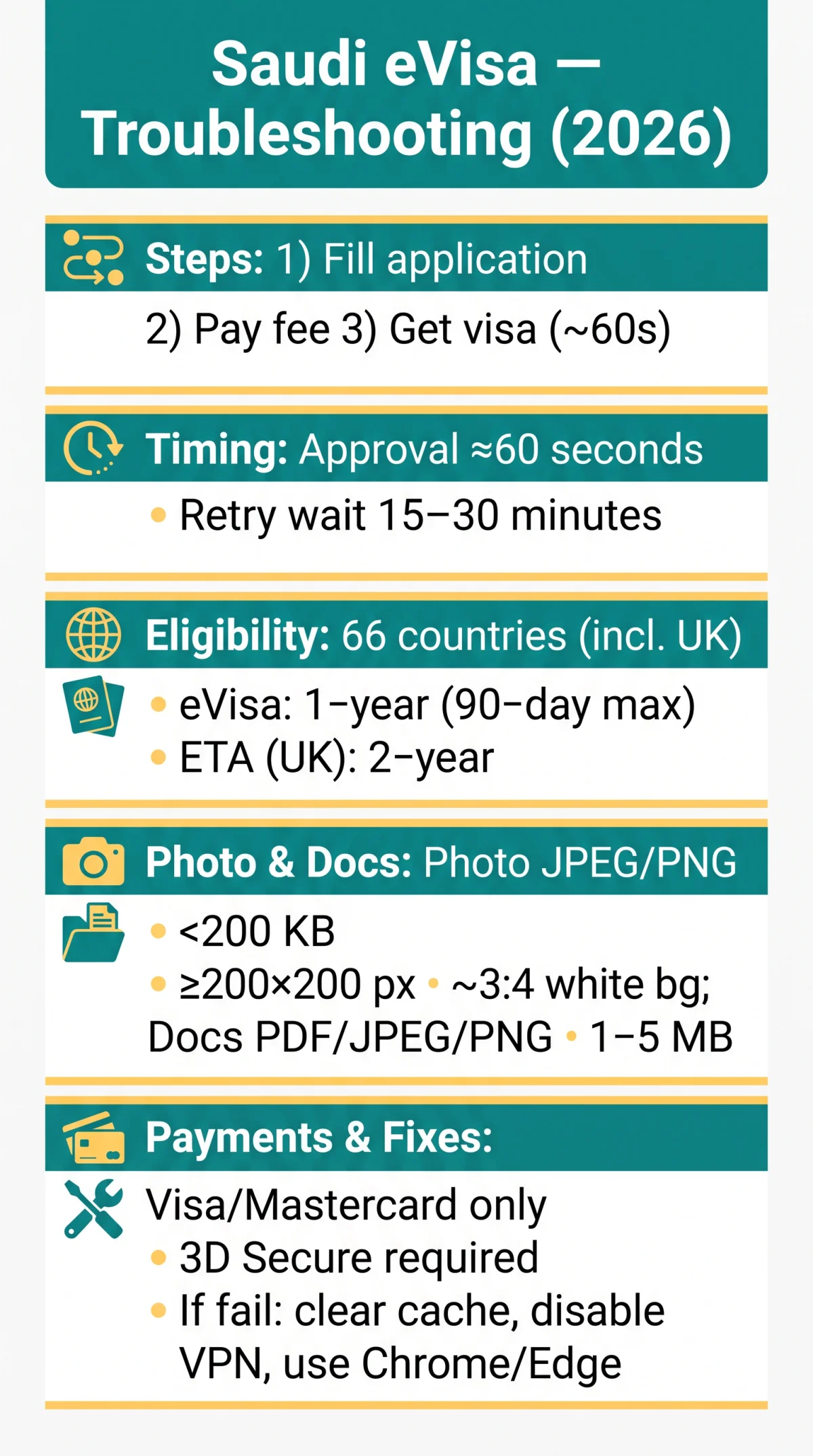
Available across 66 eligible countries including the United Kingdom, the Tourist eVisa offers 1-year multiple-entry validity with stays up to 90 days. UK citizens are also eligible for the Electronic Travel Authorisation (ETA), which carries 2-year validity and requires a separate application per person, including children. Approval is typically issued in ~60 seconds after successful payment.
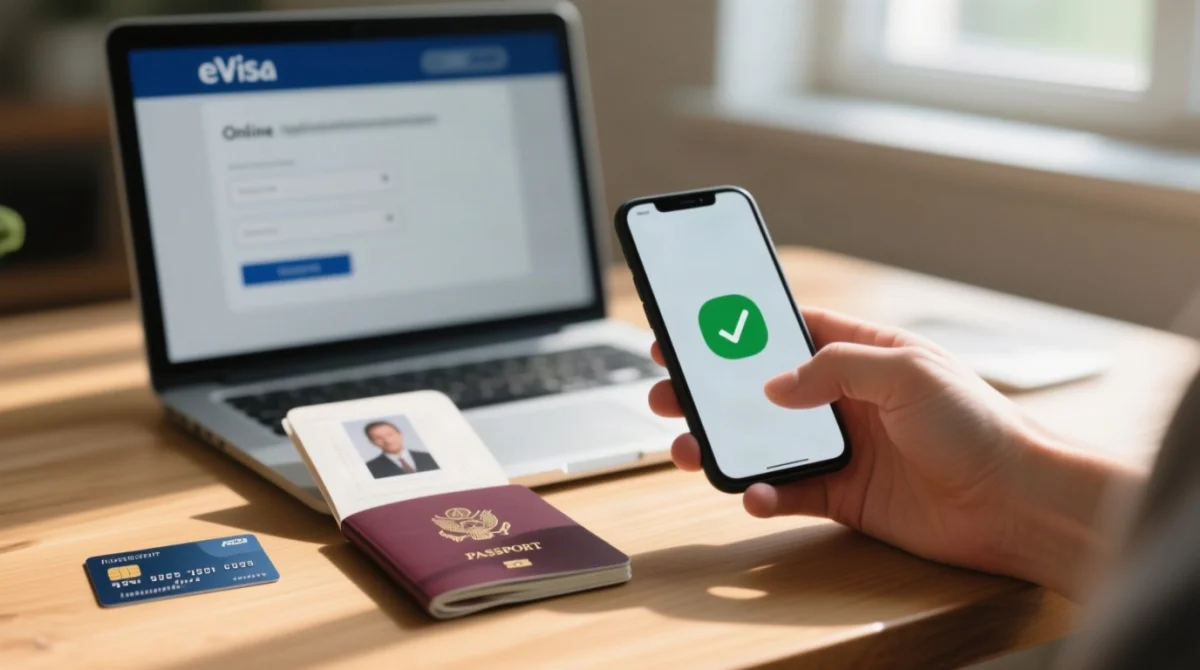
Two platforms serve applicants: the tourism portal at and the government platform at , maintained by the Ministry of Foreign Affairs (DGA registration 20250831089). Most technical errors occur at the payment or upload stage.
Site Crashes & Blank Pages: Browser & Device Fixes
Saudi eVisa website crashes typically stem from outdated browsers, corrupted cache, active VPNs, or expired session timeouts, all user-fixable by following the 3-minute diagnostic checklist below, no need to contact support.
Clearing Browser Cache and Cookies
Update to the latest version of Chrome, Edge, or Safari, then clear your browser cache and cookies before reloading the page. Corrupted temporary files are the leading cause of blank pages on the Saudi eVisa portal. Mobile operating systems can trigger unresponsive buttons; switch to desktop view if using a mobile device.
VPN, Proxy and Geo-IP Restrictions
Disable any active VPN or proxy connection. UK users commonly route traffic through VPNs for privacy, but an active VPN routinely triggers an “Access Denied” message or session timeout on the Saudi eVisa website. Disconnect it and reload.
| HTTP Error | Meaning | Action |
|---|---|---|
| 500 | Server-side error | Wait 15 minutes, then retry |
| 504 | Gateway timeout | Log out, then retry your application |
| 403 | Access denied | Disable VPN and reload |
How to Verify the Correct Website
Confirm the domain uses the .sa TLD and a valid HTTPS certificate. The government platform at lists DGA registration number 20250831089 and is maintained by the Ministry of Foreign Affairs. Fraud alert: avoid lookalike domains (e.g.,, ) that mimic the Saudi eVisa portal. If you entered payment details on a fake site, contact your bank immediately and report the incident to Action Fraud UK.
Session timeout: the form does not auto-save. If logged out due to inactivity, your entered data is lost. Start a fresh session and keep your details ready offline. After multiple failed login attempts, use the “Resend Activation” link on the login page or perform a password reset to regain access to your Saudi eVisa account.
Payment Failures: Why Your Card Is Declined
The step-by-step diagnostic below resolves Saudi eVisa payment failures by identifying the specific cause: unsupported card network, failed 3D Secure authentication, or a bank fraud alert. The Saudi eVisa payment gateway supports Visa and Mastercard; AMEX may not be accepted. Your card must have 3D Secure enabled, triggering an SMS or app OTP before the charge proceeds.
| Error message | Cause | Fix |
|---|---|---|
| Payment declined | Unsupported card network | Switch to Visa or Mastercard |
| 3D Secure failed | OTP not received | Check SMS settings or contact your bank |
| Transaction blocked | Bank fraud flag on international charge | Call your bank, authorise the Saudi merchant |
| Processing error | Session timeout | Clear browser cache, retry within 30 minutes |
Q: My payment failed and now I cannot retry. What do I do?
Wait 15 to 30 minutes for the reference-session reset, then retry. If still locked, start a new application in a fresh browser session. Duplicate charges are automatically refunded.
Upload Errors: Photo & Document Requirements
Saudi eVisa upload errors occur when photographs exceed file size limits, use wrong dimensions, or documents are submitted in unsupported formats.
| Specification | Photo | Document |
|---|---|---|
| Format | JPEG or PNG | PDF, JPEG, or PNG |
| Min dimensions | 200 x 200 px | N/A |
| Aspect ratio | ~3:4, white background | N/A |
| Max file size | Under 200 KB | Approx. 1-5 MB per file |
If the system shows a generic “file not accepted” error, check the file size (under 200 KB for photos, 1-5 MB for docs), then the format (JPEG/PNG for photos, PDF/JPEG/PNG for docs), then compress using a free online tool and retry. Reducing resolution, converting PNG to JPEG, or using a desktop browser instead of mobile can also resolve Saudi eVisa upload failures.
ETA vs eVisa, Support Channels & Preventing Errors
Which Do UK Travellers Need: ETA or eVisa?
| Feature | Tourist eVisa | ETA |
|---|---|---|
| Eligible nationalities | 66 countries (incl. UK) | UK citizens only |
| Validity | 1 year | 2 years |
| Max stay | Up to 90 days | Per entry |
| Umrah permitted | Yes | No |
| Children | Eligible for own eVisa | Separate application per person |
| Portal |
How to Contact Saudi eVisa Support
Report errors via the support form on (login required) or the contact form on , linked to the Ministry of Foreign Affairs. Include your application reference number, error screenshots, and browser details. Response times are not published; follow up after 48 hours if no reply is received.
Pre-Application Checklist to Prevent Errors
- Browser updated to latest Chrome, Edge, or Safari
- VPN disabled
- Browser cache and cookies cleared
- Card verified: Visa or Mastercard with 3D Secure enabled
- Photo prepared: JPEG/PNG, under 200 KB, correct dimensions, white background
FAQ: Saudi eVisa Troubleshooting (2026)
Why is the Saudi eVisa website not working in 2026?
The Saudi eVisa website may stop responding due to outdated browsers, corrupted cache, or active VPNs. HTTP 500: retry in 15 minutes; 504: log out and retry; 403: disable VPN. Verify the domain ends in.sa with HTTPS and DGA number 20250831089.
How do I fix Saudi eVisa payment failure during the application?
Use Visa or Mastercard (AMEX may not be accepted) with 3D Secure enabled. If blocked, call your bank to authorise the Saudi merchant. If locked out, wait 15 to 30 minutes for an automatic session reset; duplicate charges are refunded.
Why is my Saudi eVisa photo upload not working?
Photos must be JPEG or PNG, under 200 KB, minimum 200 x 200 px, aspect ratio ~3:4, white background. The system may show a generic “file not accepted” error. Resize, compress, or use a desktop browser instead of mobile.
What file format and size do I need for Saudi eVisa uploads?
Photos: JPEG or PNG, under 200 KB, 200 x 200 px minimum, ~3:4 ratio, white background. Documents: PDF, JPEG, or PNG, up to 1-5 MB per file. Files exceeding these limits are silently rejected.
Which browser works best for the Saudi eVisa website?
Latest Chrome, Edge, or Safari. Clear cache and cookies before starting, disable VPN, and switch to desktop view if using mobile. Avoid outdated browser versions that may not support the payment gateway or upload modules.
My Saudi eVisa account is locked after too many payment attempts. What do I do?
Wait 15 to 30 minutes for the automatic reference-session reset. If still locked, start a new application in a fresh browser session. Duplicate charges from failed attempts are automatically refunded.
How do I contact Saudi eVisa support from the UK?
Use the support form on (login required) or the contact form on. Include your application reference number, error screenshots, and browser details. Follow up after 48 hours if no reply.
Why was my Saudi eVisa payment blocked by my bank?
Your bank may flag the Saudi eVisa payment as an international transaction and block it under a fraud alert. Contact your bank to pre-authorise the Saudi merchant. Ensure 3D Secure is enabled for the OTP code via SMS.
How long does Saudi eVisa approval take?
According to the KSA Visa Platform, typical processing duration is approximately 60 seconds once payment succeeds. If pending beyond this, check for a session timeout or payment lockout and retry in a fresh browser session.
Do I need an ETA or a Tourist eVisa from the UK?
The Tourist eVisa (66 eligible countries) offers 1-year validity, 90-day max stay, and includes Umrah. The ETA (UK citizens only) offers 2-year validity with a separate application per person. Apply via for the eVisa or for the ETA.